
AI answers first, and a person steps in when it counts
Questions that arrive at midnight still get an answer. Anything that ends with an explanation is handled for you; the rest comes to a person.
You cannot put a person on every enquiry
A large share of what arrives already has a fixed answer — price, timing, what is possible and what is not.
Someone still has to answer those, so the person who genuinely needs help waits behind them. Enquiries that arrive after hours sit untouched until morning, and by then the sender is looking elsewhere.
Saleslink takes that first layer. Anything answerable from your material is answered immediately; the rest is passed on. Your team starts with what was passed on, and can enter any live conversation directly.
Where consultations come from
However they arrive, they gather in one place.
AI conversation
Visitors ask directly in the website chatbot or a material link, and the exchange is kept.
Email request
What a visitor writes arrives as email. Reply to that email and your answer reaches them.
Phone callback
A number and a good time to call are collected in advance, so you call prepared.
Outside channels
Messages from Naver TalkTalk, Instagram, and Telegram are answered by the same AI and stored alongside the rest.
How a person takes over
-
1
The visitor asks
Mid-conversation they can ask for a person, and a waiting marker appears. You can also hide that button.
-
2
Or you simply step in
No request needed — watch a conversation and join it. The moment a person joins, the AI stops.
-
3
Hand it back when done
Return the conversation to AI once the matter is settled, and it picks up from there.
Once the visitor closes the window
You can no longer reach them by chat. If they left an email or phone request you can follow up there instead, which is why it pays to collect a contact early when a conversation looks like it will run long.
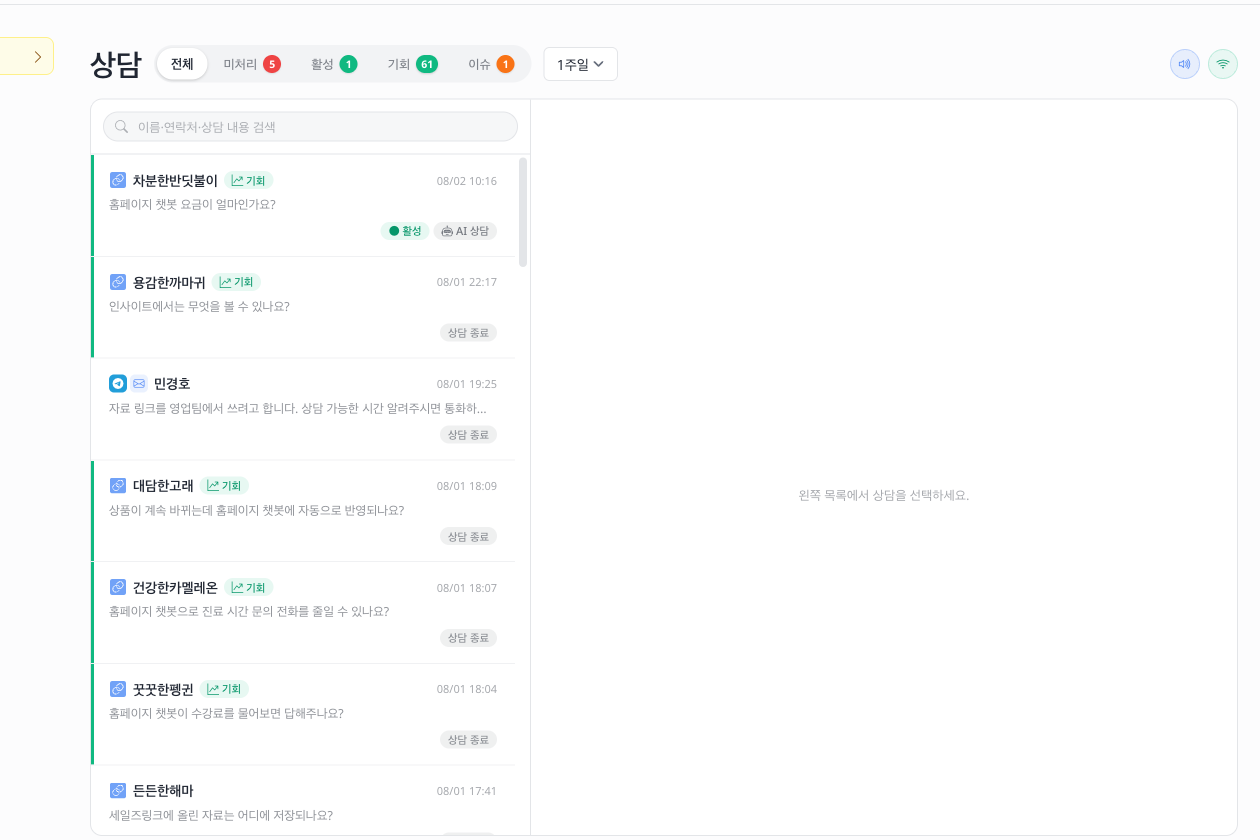
What you do from one screen
Waiting conversations first
Anyone waiting on a person sits at the top. Nothing to hunt for.
What this visitor looked at
Beside the conversation you see which material they read and what they asked before.
Answer email here too
Reply to an emailed enquiry from the same screen, and the exchange joins the record.
Leave a note
Notes stick to a visitor, so next time you can see what was discussed.
Common questions
- What if the AI answers badly?
- Step in and correct it. Once a person joins, the AI stops, so there are never two answers at once.
- Can we take live conversations only during business hours?
- Yes. Set the hours a person is available and requests stay closed outside them. Holidays can be listed separately.
- Which address does an email reply come from?
- Reply to the enquiry email and it reaches the visitor. Delivery still depends on their mail server and spam filtering, so it can be delayed or lost.
- How do outside channels connect?
- Naver TalkTalk is connected by registering account details and a webhook address in their partner centre, Instagram by linking the account, and Telegram by creating a bot. Once connected, the same AI answers messages from that channel and a person can take over.
Start with the enquiries that arrive at night
Hand off what ends with an explanation, and keep people for the rest.