
A chatbot that answers from your own website
Give it your website address and it reads your pages to answer visitors. No scripted Q&A to write, and installing takes one line of code.
The answers are already on your site
Most visitors ask about things you have already published — what it costs, how far it goes, whether it fits their situation.
The answer is on the site, but they leave without finding it. It sits three menu clicks deep, or as a single line in the middle of a long document. So the same questions keep arriving by phone and contact form.
The website chatbot reads those pages ahead of time. When a visitor asks in their own words, it finds the relevant part, answers, and shows which page the answer came from. They can open the original and judge for themselves whether to trust it.
How it comes together
All you need is your website address.
-
1
Enter your website address
It reads that address and the pages beneath it. Subdomains such as a separate blog are not included — create another chatbot for that address if you need it. Pages behind a login cannot be read.
-
2
Check the answers
The test screen shows exactly what visitors will see once installed — the same button, the same chat window. Ask a few questions and see how it answers.
-
3
Adjust the settings
Write instructions for tone and perspective, and add a notice shown when the chat opens. Email and phone consultation can each be turned on or off, and you can restrict the chatbot to appear only on addresses you list.
-
4
Paste one line of script
Add the script to your website HTML and a button appears in the lower corner. Position, size, and colour are set through script attributes. Nothing about your site needs rebuilding.
How answers come back
Sources travel with the answer
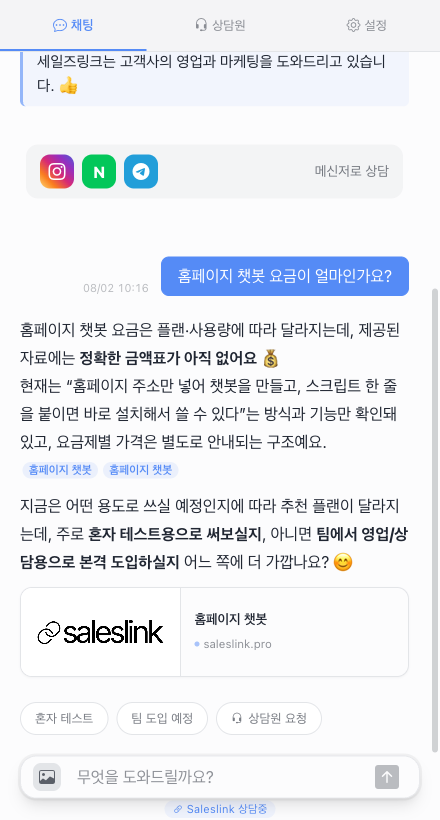
Each answer carries links to the pages behind it, so visitors can read the original.
It does not invent
When nothing in the material supports an answer, it says so and offers to pass the question on.
Visitors can ask with a photo
A screenshot or a document photo is read and answered like any other question.
It replies in the visitor language
Ask in English and the answer is in English. Your material does not need translating first.
The conversation keeps going
Explaining is where it starts, not where it stops.
Email consultation
What the visitor writes arrives as email. Reply to it and your answer reaches them.
Phone consultation
Collect a number and a good time to call, so nobody waits on hold.
Ask for a person
Visitors can ask to speak to someone. You can also turn this off.
Step in anytime
Even without a request, you can watch a conversation and take it over whenever it matters.
You see what was asked
Conversations are kept per visitor — which pages they read, what they asked, what keeps coming up. A question that repeats usually means the answer is hard to find on the site, which tells you where the page needs work.
Common questions
- If we change the website, does the chatbot follow?
- Not on its own. Ask it to read the site again and it answers from the new content. While it re-reads, it keeps answering from what it already has, so visitors notice nothing.
- Can it answer from material other than the website?
- Yes. Connect an existing website chatbot or material link as additional material and it draws on that too.
- How many pages does it read?
- It depends on the plan. There is a limit per run and a limit per month.
- We are not ready for visitors to see it yet.
- Keep the chatbot private and no button appears on your site. Refine the answers on the test screen and publish when you are happy.
- What if the script ends up on the wrong site?
- List your own address under allowed URLs and the button appears nowhere else.
One website address is enough to start
Leave your site as it is and put a chatbot on top of it.