
Know what happened to the file you sent
Attach a file and the trail goes cold. Send a material link instead and you see when it was opened, what was read, and what they wondered about.
After you send it, all you can do is wait
A few days pass after the proposal goes out. You cannot tell whether it was opened, whether there is interest, whether following up is welcome.
So you send another note that starts with "just checking in". They may have read it already, or never opened the attachment at all. You ask again without knowing which.
A material link sends an address instead of a file. They open it without downloading, and you see when it was opened and which materials were read. If a question comes up they can ask right there, so you are not waiting for a reply that may never come.
How it comes together
-
1
Upload your material
Drag in documents, images, and video. Each file is read to build a summary and to prepare for visitor questions.
-
2
Choose what shows and in what order
Pick which of the uploaded files appear in the link and rearrange them. You can also choose which screen opens first.
-
3
Decide who can see it
A password limits it to people you tell. You can restrict which addresses may open it, or take the link private for a while.
-
4
Send the link
It goes in email or any messenger. The tail of the address is yours to name, so it reads sensibly.
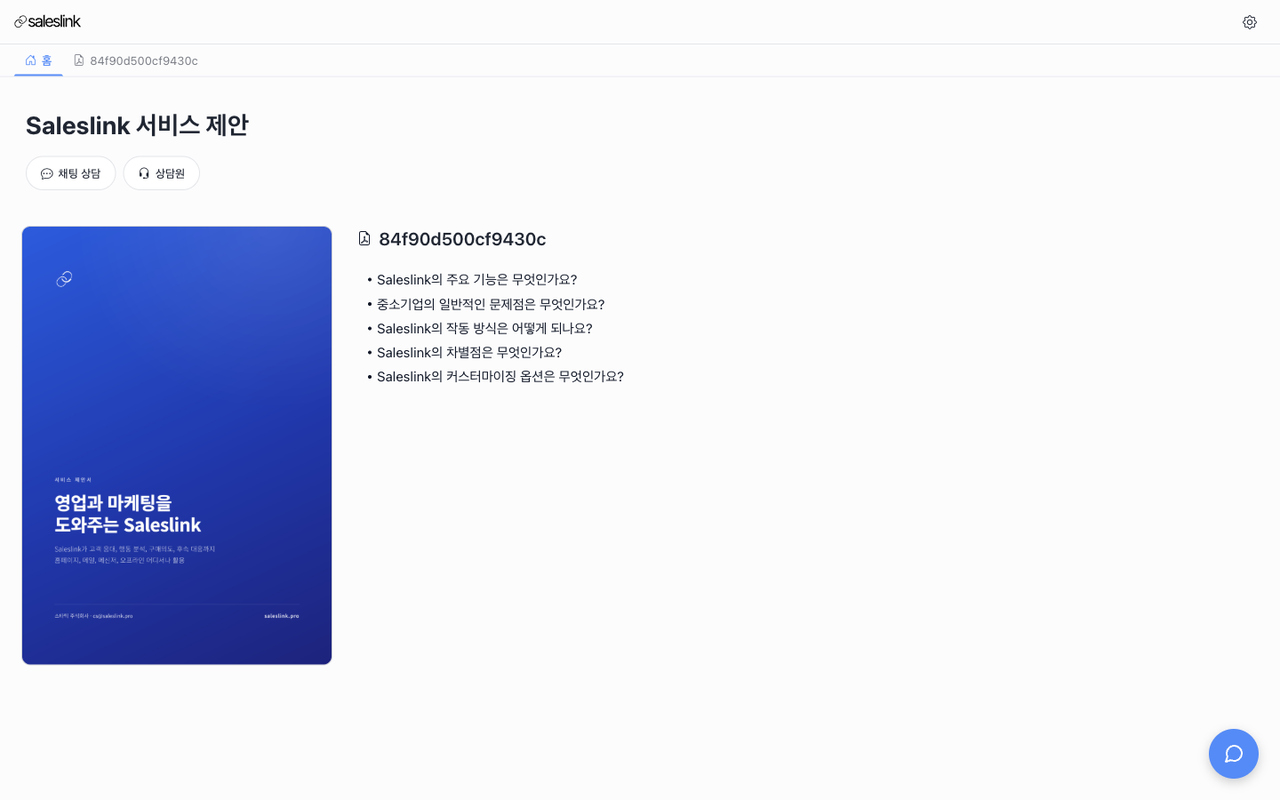
What the recipient sees
Nothing to download, nothing to sign into. The link just opens.
Material in place
Documents turn page by page on screen and video plays where it sits. No original file needed.
A summary alongside
Long documents come with the key points drawn out, so a first-time reader knows what it is about.
AI explains beside it
Questions can be asked on the spot, answered from the material you uploaded.
It leads to a conversation
They can request email or phone consultation, or ask to speak with a person.
What comes back to you
When it was opened
How many visits, and when the last one was. Returning visits show separately.
Which material was read
You see where the time went — what was read through and what was skipped.
What was asked
Every question put to the AI is kept, showing interests the material alone would never reveal.
Contact details left behind
A name and number given while requesting consultation is tied to the visit history.
You can tell where you shared it
The same material can carry a different address for each place you share it. A group chat, a newsletter, and a blog post stay separate, so you know where the visits came from. The original address keeps working.
It works offline too
Download a QR code for a business card, a poster, or product packaging. Whoever scans it lands on the same screen, and the visit is recorded like any other.
Common questions
- Does the recipient need an account?
- No. The link opens straight away — no signup, no login.
- Can we change the material after sending?
- Yes. Add or remove files and the address stays the same, so there is nothing to resend. Changing the address itself does break links you already sent.
- This is not something just anyone should open.
- Set a password and only the people you tell can read it. If you change your mind after sending, taking the link private closes it off.
- We worry the AI will answer badly.
- You can turn AI consultation off and show the material alone. If you keep it on, you can write instructions for tone and perspective, and you are told which material is too thin to answer from.
- Do we learn who opened it?
- Not by name. The link opens without login, so until someone leaves contact details you see visits rather than people. Repeat visits by the same person do stay connected.
Start with the next thing you send
Watch it get opened instead of waiting to hear back.